MCP CONNECTOR
Run your rentals
from Claude or ChatGPT
Connect Hosperly to the AI tools you already use and get everyday work done with a few words.
Claude & ChatGPT only act on what you ask, within the permissions you grant.
SYNC ACROSS 50+ BOOKING CHANNELS






WHAT YOU CAN DO
Everyday tasks
A few words away
Calendar & availability
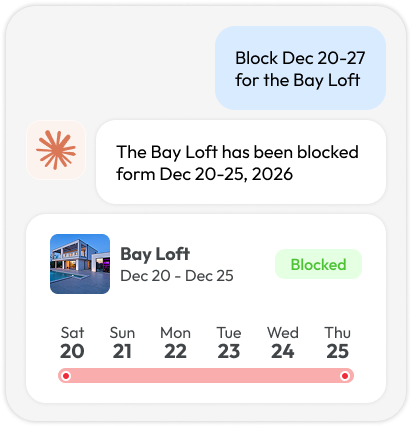
Block or reopen dates and set stay restrictions across your properties and connected channels.
“Set a 3-night minimum for New Year’s”
Rates & pricing
Update rates across multiple properties without editing each calendar. Preview before applying.
“Raise my rates 10% for Thanksgiving week”
Reservations
Know who’s coming and going. Find booking details and check arrivals or departures across your portfolio.
“Which guests haven’t paid the balance?”
Guest messaging
See who’s waiting for an answer and keep conversations moving, without opening every guest thread.
“Reply to Emily about early check-in”
Operations
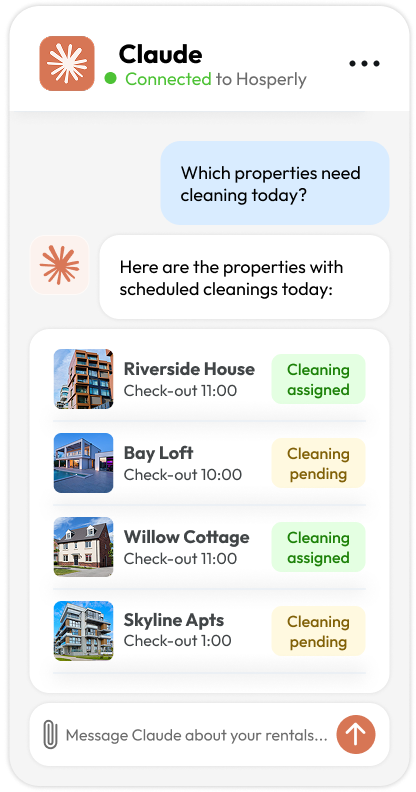
Get a clearer picture of the day ahead. Review arrivals and departures to help plan turnovers and coordinate your team.
“Which properties need cleaning today?”
Reports & insights
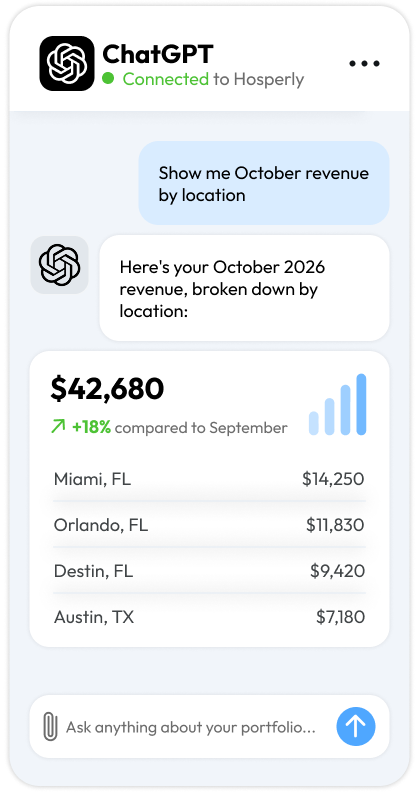
Compare booking periods, spot patterns, and turn your reservation data into clear summaries.
“Compare my occupancy to last November”
ASK ANYTHING ABOUT YOUR PORTFOLIO
What do you need done today?
Bring your bookings, rates, and availability into the conversation.
Get answers from your Hosperly account and turn requests into updates across your portfolio.
- “Move the Okafor booking
to the Townhome” - “How many nights
are blocked this month?” - “Which listings have
gaps next week?” - “Block Dec 20–27
for the Bay Loft” - “Show me no-shows
from last month” - “Reply to Emily
about early check-in” - “Send arrival instructions
to tomorrow’s guests”
- “List properties with
no bookings in December” - “Summarize this week’s
guest reviews” - “Draft a welcome
message for Hannah” - “Who checks out
on Sunday?” - “Which guests haven’t
paid the balance?” - “Compare Airbnb vs
Booking.com bookings” - “Move the Okafor booking
to the Townhome”
SECURITY & CONTROL
You stay in charge. Always.
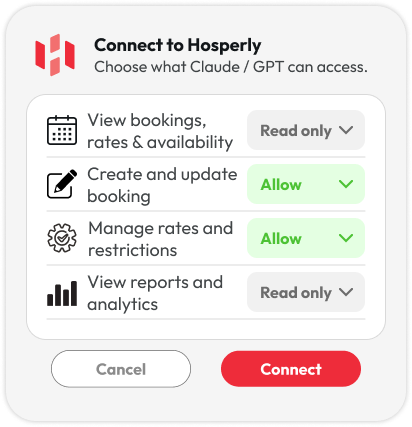
The assistant works on your behalf, never on its own. It only acts when you ask, and only inside the permissions you set.
- Scoped permissions
Grant read-only or read-and-write access, per area of your account. - Confirm before changes
Rate changes, blocks and guest replies can require your approval first. - Full activity log
Every action taken through the connector is recorded in Hosperly. - Revoke anytime
Disconnect in one click from Hosperly or from your assistant’s settings.
HOW IT WORKS
Connected in under a minute
01
Add the connector
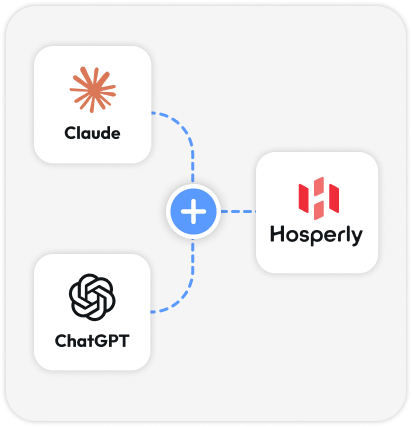
Connect to Hosperly through the official Hosperly connector in Claude or ChatGPT.
02
Sign in & choose access
Log in with your Hosperly account and approve exactly what the assistant can view and change.
03
Put it to work
Type a request. Changes sync to your channels instantly, and every action shows up in Hosperly.
MORE TIME FOR WHAT MATTERS
Spend less time in software,
more time with guests
Let AI handle the busywork.
Connect Hosperly to the AI tools you already use and simplify your daily operations.

Frequently asked questions
What is the Hosperly MCP connector?
It connects Hosperly to AI assistants such as Claude and ChatGPT, so you can check bookings, manage availability, and update pricing through a conversation. MCP stands for Model Context Protocol — the standard that makes this connection possible.
Can I use it with Claude and ChatGPT?
Yes. Hosperly is available in Claude’s connector directory. You can also connect it to ChatGPT through a custom MCP setup. Follow our setup guide for your preferred assistant.
Can the assistant change my rates or calendar without permission?
You choose whether to grant read-only or write access. With write access, the assistant can make changes in response to your requests. For rate and availability updates, ask for a preview to review the proposed changes before applying them.
Will my updates sync to my booking channels?
Rate and availability changes are sent through Hosperly to your connected booking channels, including Airbnb, Booking.com, and Vrbo. Channel-specific pricing adjustments apply to the channel you select.
Can I disconnect at any time?
Yes. Go to Settings → MCP → Connected apps in Hosperly and revoke the connection. The assistant will immediately lose access through that connection.
Do I need a Hosperly account?
Yes. You need a Hosperly account with at least one property. A user with the owner or manager role must authorize the connection.
How much does it cost?
The MCP connector is included in Hosperly’s all-features plan, starting at $8.70 per property/month.